While you are reading, tap the ✳ at the top right of the page. A panel slides up with a box to type in.
You can also select some text first and tap Ask on the little bar that appears — that points the question at exactly what you selected.
Choose what it should look at
Under the box is a row of choices. Whichever one is highlighted is what the answer will come from.
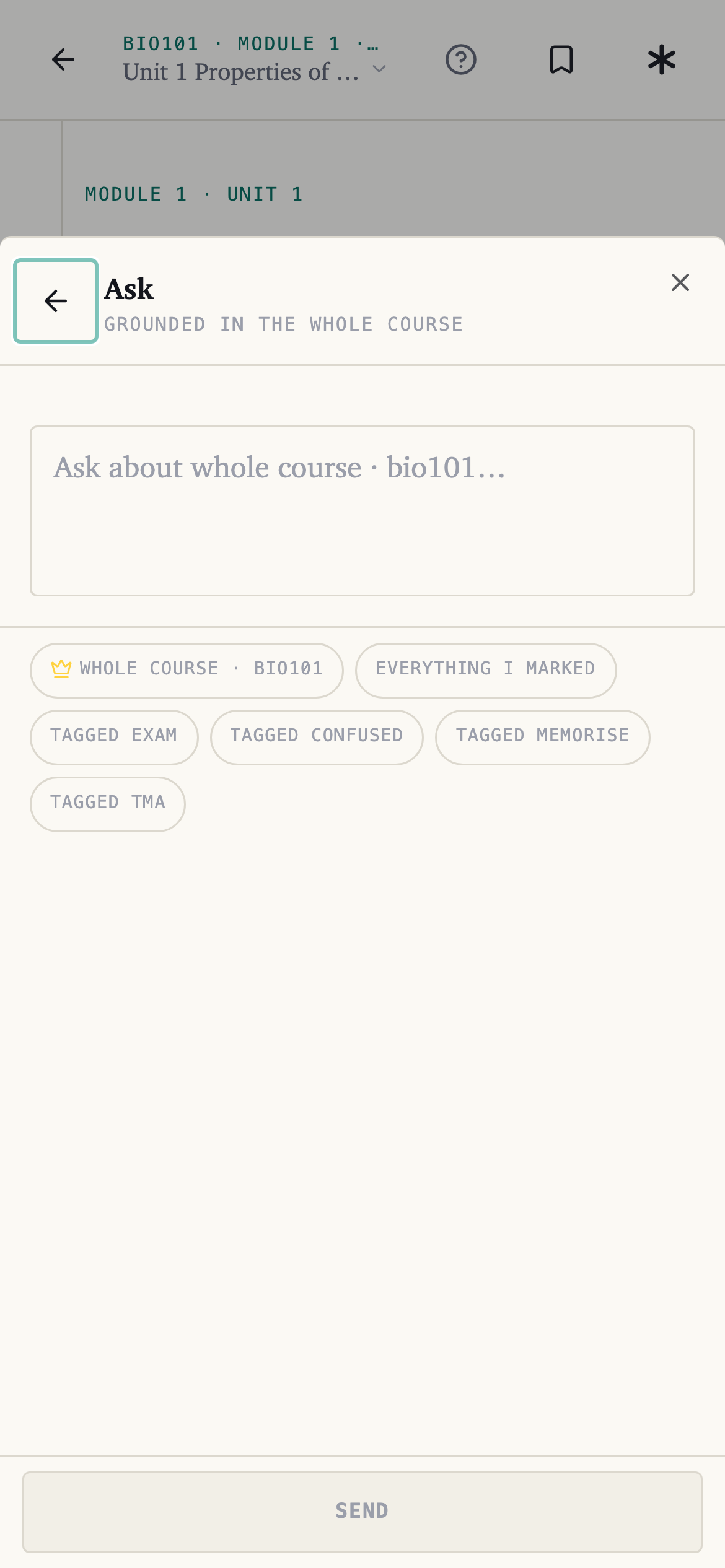
| Choice | It looks at | Credits |
|---|---|---|
| This passage | The text you selected | 7 |
| This unit — shown with the unit's name | The unit you are reading | 15 |
| Whole course · CODE | The entire book | 50 |
| Everything I marked | Everything you have highlighted in this course | 7 |
| Tagged Exam, Confused, Memorise, TMA | Just the marks carrying that tag | 7 |
Start narrow. If you are stuck on one paragraph, This passage gives a tighter answer for a seventh of what the whole course costs.
The ones that are greyed out
This passage only appears when you have selected something, and This unit when you are in one.
Everything I marked and the tag choices wait until you have marked something — the app tells you which, rather than answering from nothing.
A choice with a crown on it is on a bigger plan. On the free Fresher plan that is Whole course; everything else is yours.
Revising from your own marks
This is the part worth knowing about. Mark things as you read, tag the ones you keep getting wrong as Confused, and then ask a question against Tagged Confused — you get an answer about exactly the parts you struggled with, at the price of a passage question.
Following up
Answers sit in a thread, so you can keep going without repeating yourself. Each question costs credits; reading old answers again costs nothing. Past threads are listed on the course's Ask screen.
Summaries and practice tests start here too
Ask for one in the same conversation — "summarise this unit", "test me on this unit" — and a card appears for you to confirm. See Get the short version of a unit and Test yourself.
Where the answers come from
Your own course book, with the place in it shown. See Where the answers come from.