You can save a course to your device and read the whole thing with your data off.
Open the course, tap the ··· at the top, and choose Download for offline. When it is finished the same item reads Saved for offline.
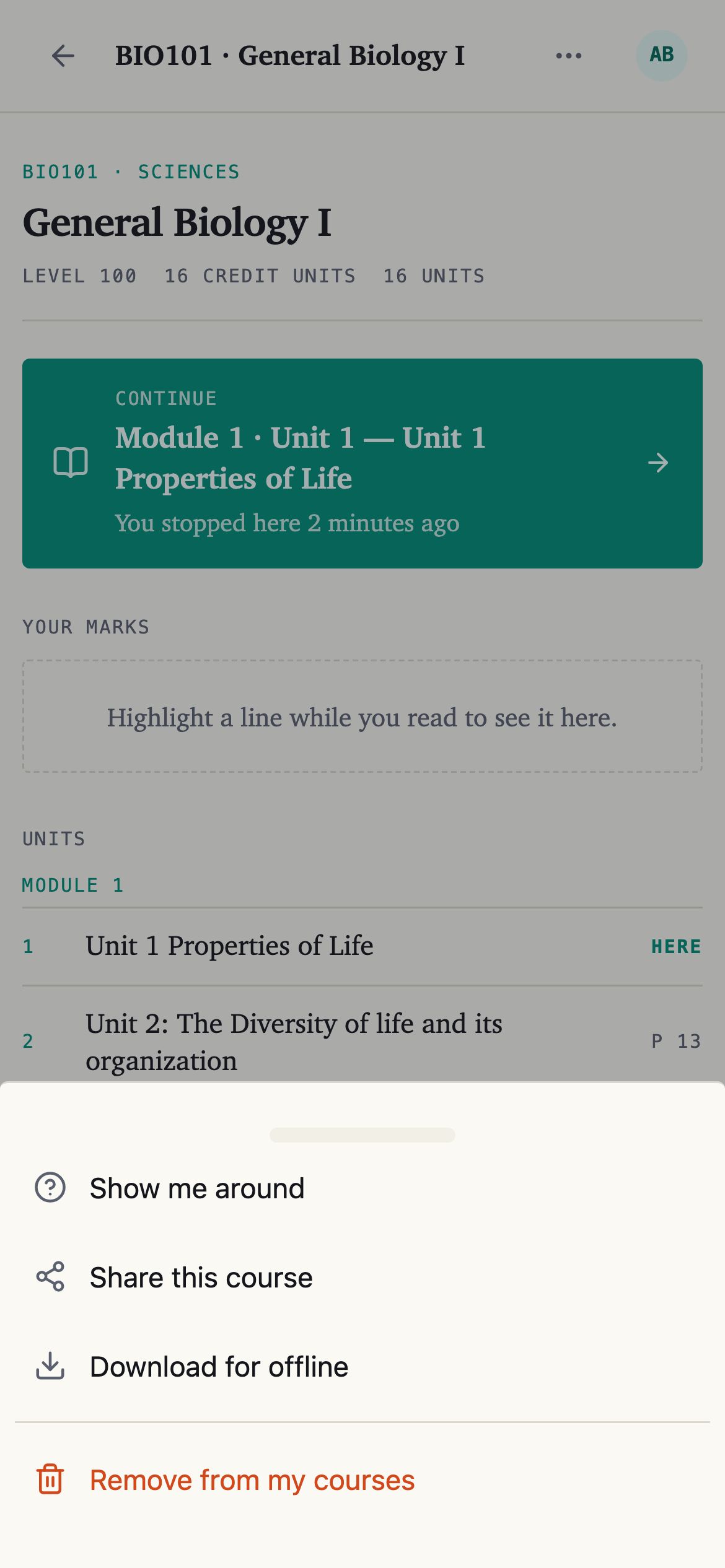
Do it on wifi if you can. It is the whole book.
First, install nounstudy
Saving a course only works once nounstudy is installed. See Install nounstudy on your phone.
What works with no connection
Reading, and your marks. You can highlight, tag and make notes while offline — they are held on the device and sent up the next time you open nounstudy with a connection.
Asking a question, summaries and practice tests all need a connection.
Seeing what you have saved
Account → Downloads lists the books saved on the device you are using, and how much room each one takes. Remove one from there when you want the space back.
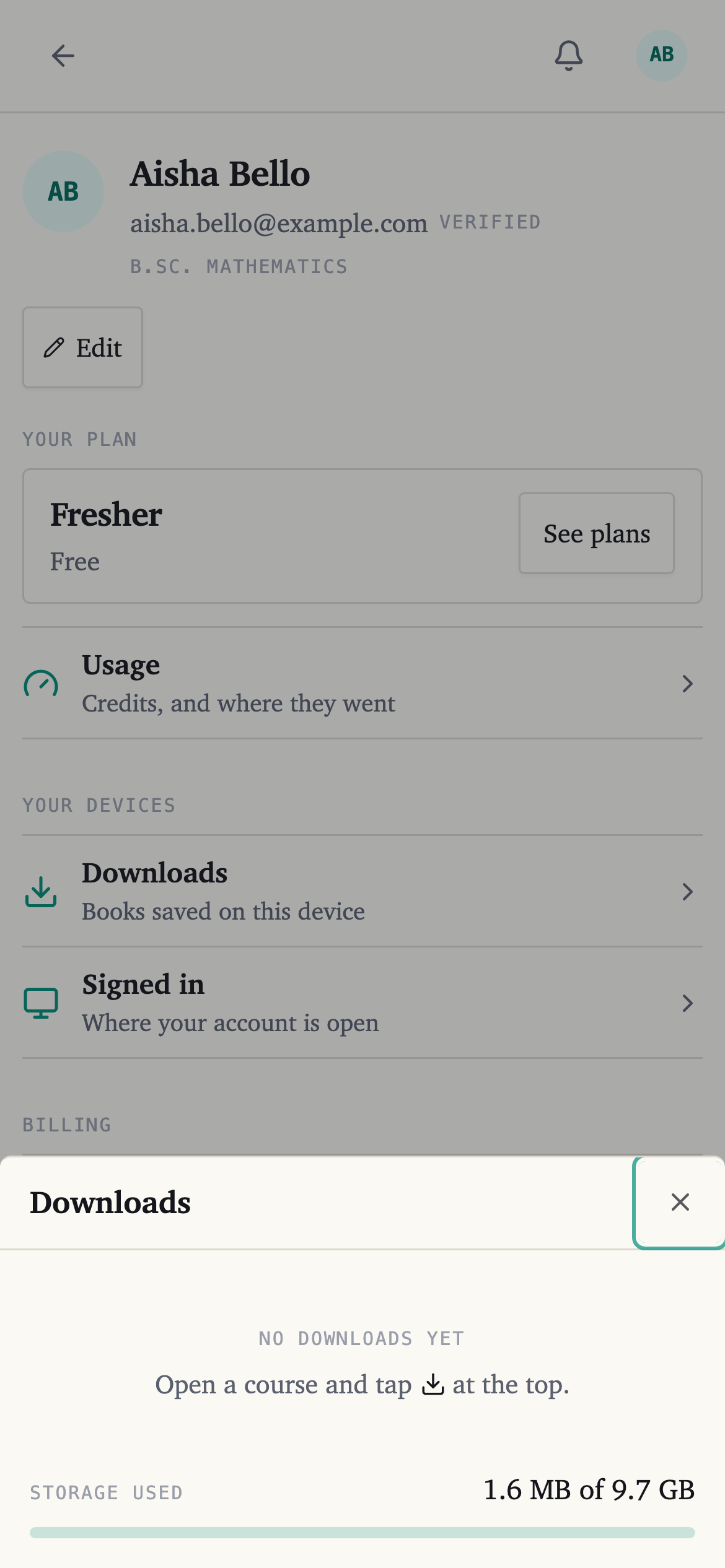
The list is per device. A course saved on your phone is not saved on your laptop.
If reading offline is not working
Open nounstudy from its own icon rather than from a browser tab — a tab does not carry the saved copy.
If it still will not, save the course again while you have a connection.