On your home page, next to Your courses, tap Browse all. That opens Courses, where you can search by course code — BIO101, ENG221 — or by name, and filter by faculty.
Open the one you are studying and tap Add course. Then tap Start reading.
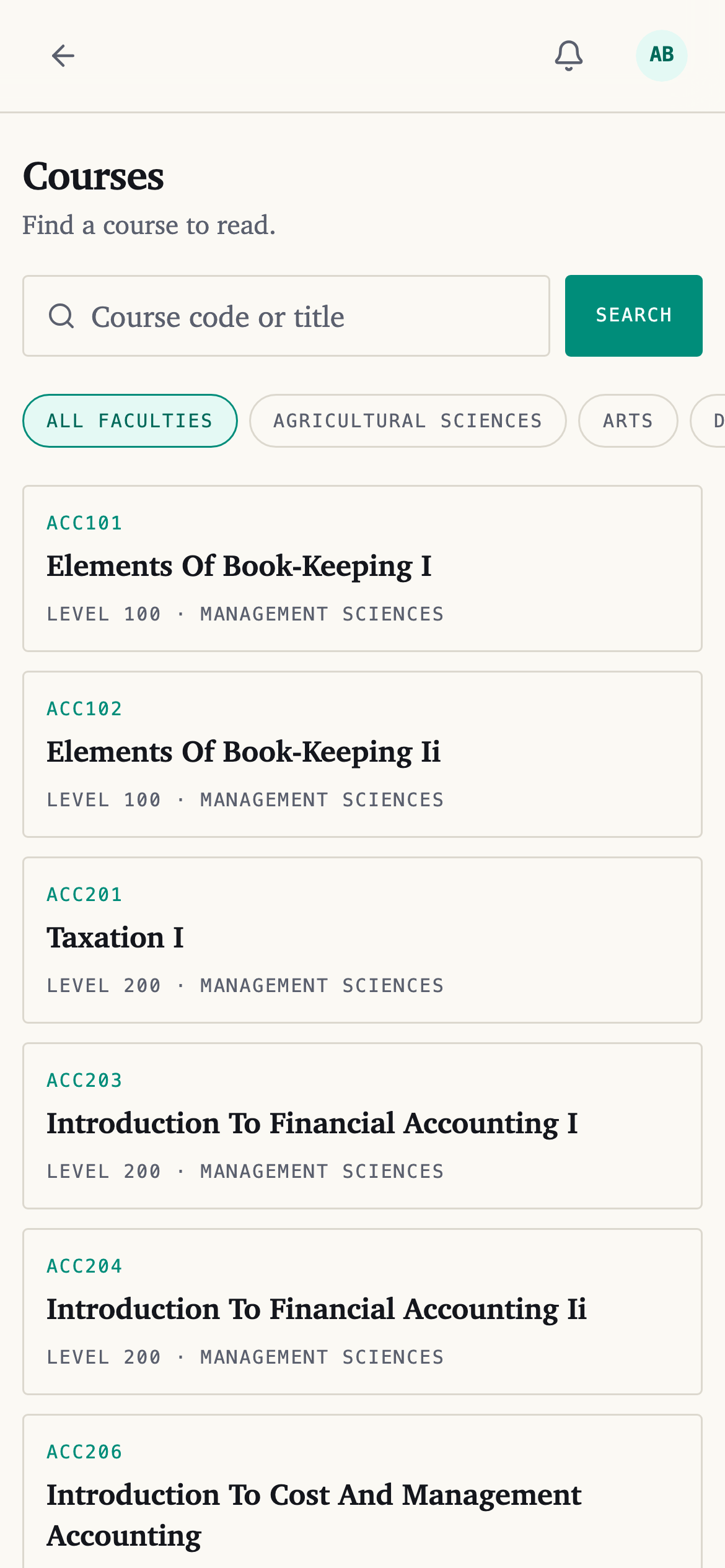
If you have not added anything yet, the empty Continue reading section has a Browse courses link that goes to the same place.
How many you can have
Each course you add takes a course slot. Your plan decides how many slots you get:
| Plan | Courses at a time |
|---|---|
| Fresher | 2 |
| Scholar | 9 |
| Distinction | 18 |
| First Class | No limit |
Nine is a full semester load. Eighteen is a full year.
Reading a course you have added costs nothing, on every plan. See What a study credit is.
Taking one off your list
Open the course, tap the ··· at the top, and choose Remove from my courses.
Everything you did in it stays — your marks, your summaries, your tests — and comes back if you add it again.
It still counts as one of your courses for 30 days. So removing one does not free room for a different course straight away. If you need a course this week, that is the thing to know before you remove something to make space.
If your course is not there
Tap Chat with Idara on your home page and give the course code.